
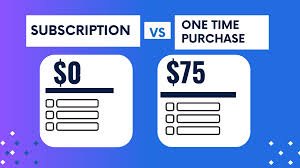

In today’s digital world, software is an essential part of both personal and professional life. From productivity tools to creative platforms, users now have two main ways to access software: subscription-based models and one-time purchases. Each option has its own advantages and drawbacks, making the choice dependent on individual needs, budget, and usage patterns. So, which is better? Let’s explore both models in detail.
Understanding the Two Models
Subscription software requires users to pay a recurring fee—monthly or yearly—to access the software. Popular tools like Microsoft 365 and Adobe Creative Cloud follow this model. As long as you continue paying, you have access to the latest features and updates.
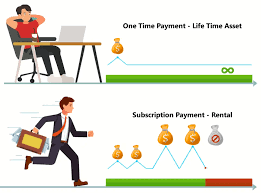
On the other hand, one-time purchase software involves paying a single upfront cost to own the software permanently. Traditional versions of Microsoft Office 2019 are an example of this model, where you pay once and use the software without recurring charges.
Advantages of Subscription Software
One of the biggest benefits of subscription-based software is continuous updates. Users always have access to the latest features, security patches, and improvements without needing to buy a new version.
Subscription models also offer flexibility. Instead of paying a large amount upfront, users can spread the cost over time, making it more affordable in the short term. This is especially helpful for students, freelancers, and small businesses.
Another advantage is cloud integration. Many subscription tools provide cloud storage and syncing, allowing users to access their work from multiple devices. This enhances convenience and collaboration.
Drawbacks of Subscription Software
Despite its benefits, subscription software can become expensive over time. While monthly fees may seem small, they add up significantly in the long run. Users may end up paying more than the cost of a one-time purchase.
Additionally, access is dependent on payment. If you stop subscribing, you may lose access to the software and sometimes even your stored data or features.
For users who prefer ownership and long-term cost savings, this can be a major disadvantage.
Advantages of One-Time Purchase Software
One-time purchase software offers full ownership. Once you pay, the software is yours to use without ongoing costs. This makes it a cost-effective option for long-term use.
It is also ideal for users who prefer stability. Since the software does not change frequently, there is no need to constantly adapt to new updates or features.
Another benefit is independence. You don’t have to worry about losing access due to missed payments, making it a reliable option for essential tools.
Drawbacks of One-Time Purchase Software
The biggest limitation of one-time purchase software is the lack of updates. Over time, the software may become outdated, missing new features or security improvements.
Users may eventually need to purchase a newer version to stay up to date, which can reduce the initial cost advantage.
Additionally, many one-time purchase tools lack advanced cloud features, making them less convenient for users who work across multiple devices.
Which One Should You Choose?
The choice between subscription software and one-time purchase depends on your needs.
If you require the latest features, regular updates, and cloud access, subscription software is the better option. It is ideal for professionals, businesses, and users who rely heavily on advanced tools.
However, if you prefer a one-time investment and long-term cost savings, a one-time purchase may be more suitable. It works well for users who need basic functionality without frequent updates.
Conclusion
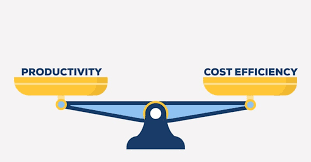
Both subscription software and one-time purchase models have their own strengths and limitations. Subscription models offer flexibility, updates, and modern features, while one-time purchases provide ownership and cost control.
Instead of choosing one universally, the smarter approach is to evaluate your usage, budget, and long-term needs. In many cases, a combination of both models can provide the best balance between cost and convenience.
Ultimately, the “better” option is the one that aligns with how you work and what you value most in your digital tools.

