
In today’s fast-paced work environment, staying organized isn’t just a preference — it’s a necessity. Between Slack messages, email threads, shared drives, calendars, and task lists, it’s easy for teams and individuals to feel overwhelmed. Enter ClickUp — a rapidly growing work management platform designed to bring clarity and control to the way we work.
Whether you’re a solopreneur juggling clients, a small business managing multiple projects, or a global organization trying to streamline collaboration, ClickUp is positioning itself as the central nervous system for work. It’s not just a task manager — it’s an all-in-one productivity ecosystem.
🧩 What Sets ClickUp Apart?
At its core, ClickUp combines many tools people use separately into one integrated platform. Rather than switching between apps for to-dos, documents, communication, and schedules, users can manage everything in a single workspace. That’s not only more efficient — it cuts down on wasted time and reduces the mental load of juggling multiple systems.
What makes ClickUp especially compelling is its flexibility. Teams aren’t forced into one rigid workflow. Instead, ClickUp adapts to how you work, not the other way around.
📅 Central Features That Drive Productivity
Here’s a breakdown of some of ClickUp’s standout capabilities:
✓ All-In-One Task Management
Tasks in ClickUp aren’t limited to basic checklists. You can assign owners, set deadlines, attach files, add comments, and even create custom fields for things like budget, status, or complexity. Tasks can also be broken down into subtasks, giving teams a clear hierarchical structure for complex work.
✓ Custom Views for Every Team
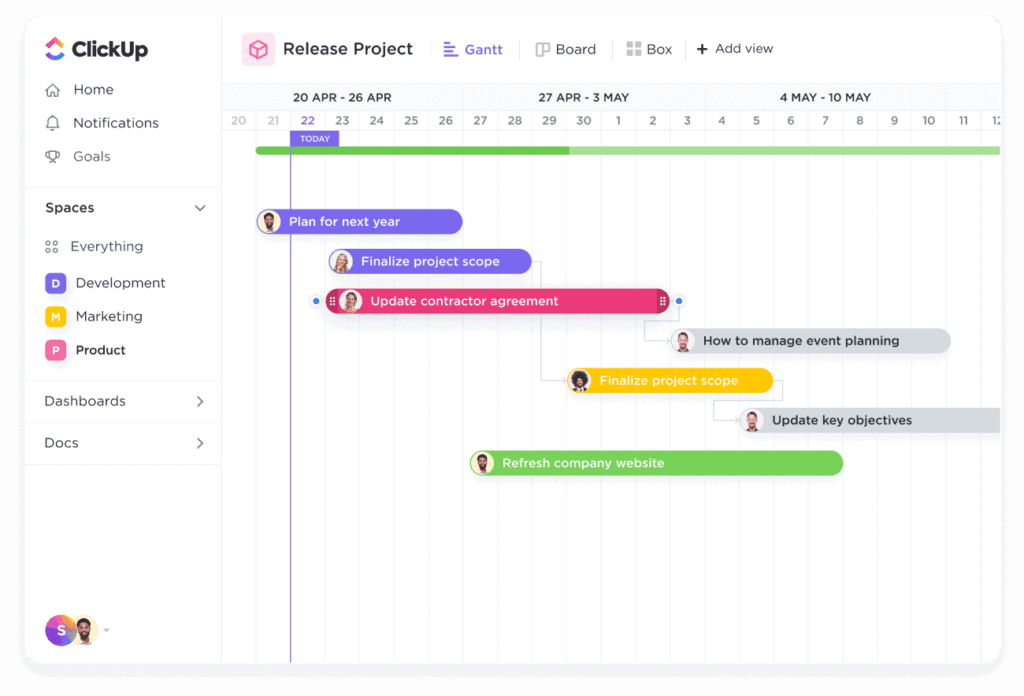
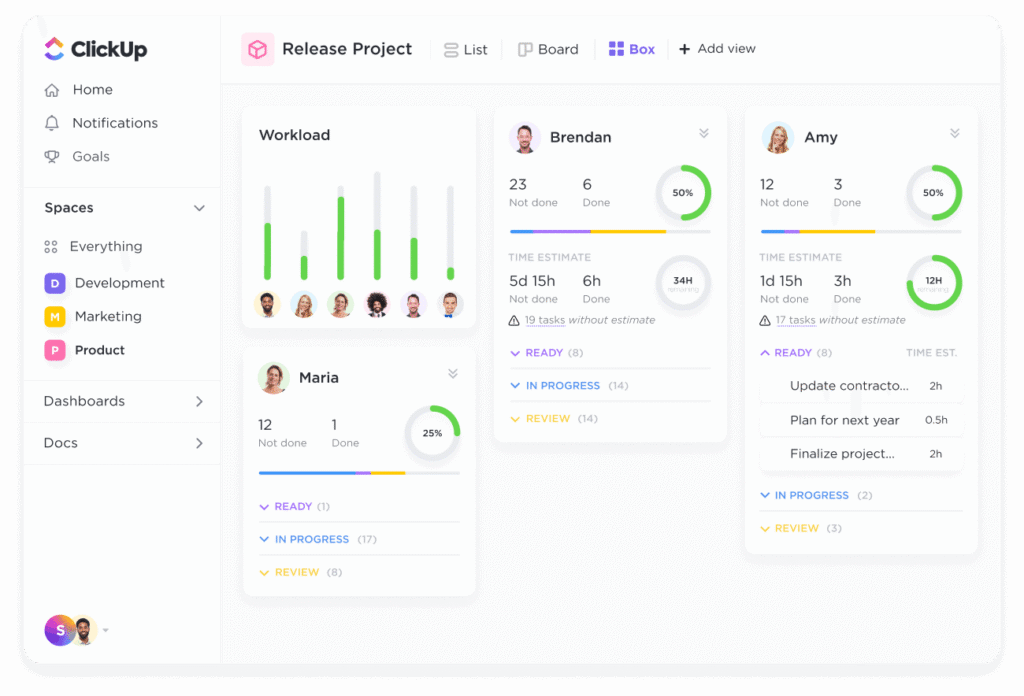
Different projects call for different perspectives. ClickUp provides multiple views to help teams visualize work in ways that make sense for them:
- List View — traditional task lists
- Board (Kanban) — flexible drag-and-drop workflow
- Calendar View — deadline and timeline focus
- Gantt Chart — project planning and dependencies
- Table & Workload — data-driven insights and capacity planning
This variety ensures that everyone — from project managers to designers — can see work in the way that best supports their productivity.
✓ ClickUp Docs
Instead of storing documents in a separate drive, ClickUp lets users create rich, collaborative Docs inside the platform. These can be linked to tasks, shared with teammates, and even turned into tasks themselves. It’s perfect for meeting notes, SOPs, knowledge bases, and internal wikis.
✓ Automation That Works for You
Repetitive tasks drain energy and time. ClickUp’s automation features let you build simple rules like “When a task moves to ‘Review,’ notify the manager,” or “If priority changes, assign to team lead.” These automations help teams stay consistent and reduce manual work.
✓ Built-In Collaboration
Rich commenting, mentions, and notifications make it easy to communicate directly within tasks. No more scattered feedback buried in email threads — everything happens in context where the work actually lives.
🌟 Why Teams Love ClickUp
Many teams praise ClickUp for its ability to eliminate tool sprawl. Instead of paying for multiple subscriptions — separate project management, document storage, team chat, and note apps — ClickUp brings many of these into a unified platform. This not only simplifies billing but ensures data stays connected and searchable in one place.
The platform’s scalability also makes it ideal for remote and hybrid teams. Whether you have five people or five thousand, you can tailor ClickUp’s structure to suit your organization.
ClickUp also gives teams access to advanced reporting, goal tracking, and dashboards, helping leadership gain visibility into performance and project health without manual updates.
💰 Pricing That Works for Many Budgets
ClickUp offers a Free Forever plan that’s surprisingly powerful, making it an attractive option for freelancers, startups, and small businesses. For teams needing more storage, permissions, or advanced features like custom exports and integrations, paid plans scale up at reasonable price points.
Being able to start free and grow into paid tiers gives teams the flexibility to experiment and adopt ClickUp without immediate financial commitment.
📌 Final Thoughts: A Tool for the Future of Work
The modern workplace is evolving — and so are the tools that support it. ClickUp isn’t just another project management app; it’s a work operating system designed to unify tasks, communication, documentation, and planning. It helps teams reduce fragmentation, boost transparency, and create workflows that work for them — not against them.
If your goal is to simplify the chaos of today’s digital workplace and build a more organized, efficient way of working, ClickUp is worth a serious look

