
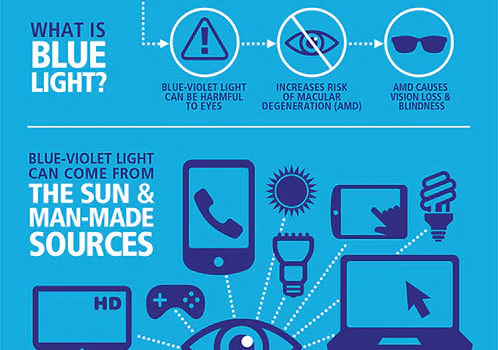

In today’s digital world, our smartphones have become indispensable — from work emails to social media scrolling, and even entertainment. However, constant screen exposure comes with hidden consequences. Excessive blue light, emitted by phone screens, can disrupt sleep, strain your eyes, and even affect long-term eye health. Fortunately, there are simple ways to protect both your phone and yourself from these effects.
What Is Blue Light and Why It Matters
Blue light is a high-energy, short-wavelength light emitted by digital screens, LED lighting, and the sun. While it helps regulate our sleep-wake cycles and boosts alertness during the day, overexposure, especially at night, can interfere with the production of melatonin — the hormone responsible for sleep. This can lead to insomnia, eye strain, headaches, and fatigue.
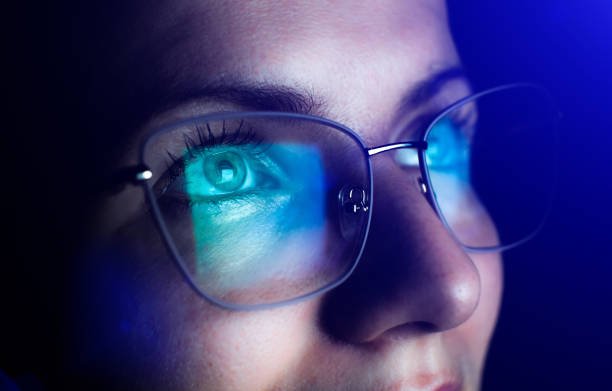
Studies have also suggested that chronic overexposure may contribute to long-term damage to the retina, increasing the risk of age-related macular degeneration. Considering how much time people spend on their phones daily, it’s essential to take precautions.
Screen Protectors That Block Blue Light
One of the simplest ways to safeguard your eyes is to use a blue light-filtering screen protector. These protectors not only guard your phone against scratches and drops but also reduce the harmful blue light emitted from your screen. Modern screen protectors are designed to:
- Filter out up to 50–60% of blue light without affecting color clarity.
- Prevent glare and reflections that cause additional eye strain.
- Protect your phone from physical damage, extending its lifespan.
This dual functionality makes blue light screen protectors a practical and affordable solution.
Use Phone Settings to Reduce Blue Light Exposure
Even without a physical screen protector, most smartphones now come with built-in features to reduce blue light exposure:
- Night Mode / Night Shift: Gradually shifts the screen colors to warmer tones during evening hours.
- Dark Mode: Uses darker backgrounds to minimize light emission and reduce glare.
- Brightness Adjustment: Lowering screen brightness during extended use helps lessen eye strain.
Activating these settings, especially during nighttime phone use, can dramatically reduce the negative effects of blue light.
Limit Continuous Screen Time
The best protection against blue light is to manage how long and when you use your phone:
- Follow the 20-20-20 rule: Every 20 minutes, look at something 20 feet away for 20 seconds. This reduces eye strain caused by prolonged screen exposure.
- Take breaks from digital devices during the day to rest your eyes and mind.
- Avoid using your phone for at least an hour before bedtime to ensure better sleep quality.
Balancing screen time can prevent both short-term discomfort and long-term eye problems.
Consider Blue Light Glasses
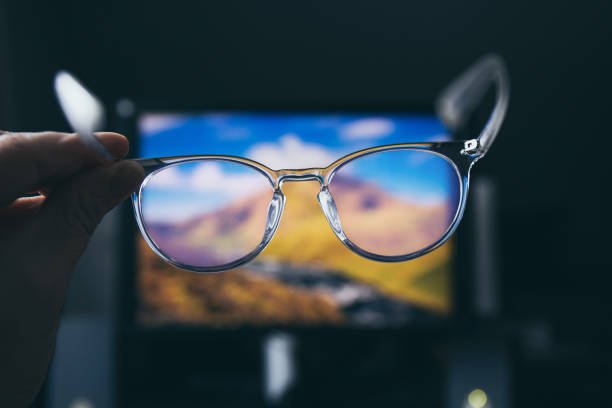
For those who spend hours on their phones, tablets, or computers, blue light-blocking glasses can be a valuable addition. These glasses filter blue light before it reaches your eyes and help:
- Reduce eye strain and headaches.
- Improve focus and productivity during long screen sessions.
- Support better sleep if worn during evening screen use.
Many affordable and stylish options are available today, making them practical for daily use.
Maintain Your Phone for Maximum Protection
Protecting your phone physically also indirectly protects your eyes. Cracked or scratched screens can reflect light unevenly and increase eye strain. Using protective cases and tempered glass ensures your screen remains smooth, reduces glare, and prolongs the effectiveness of any blue light filter.
Final Thoughts
Your smartphone is a powerful tool, but excessive exposure to blue light can affect your health over time. The good news is that by combining physical screen protectors, smartphone settings, responsible usage, and blue light glasses, you can continue to enjoy your phone while minimizing the risks. Protecting your eyes doesn’t have to be complicated — a few thoughtful steps today can prevent discomfort and support long-term vision health tomorrow.

